Archive for the ‘Technology’ Category

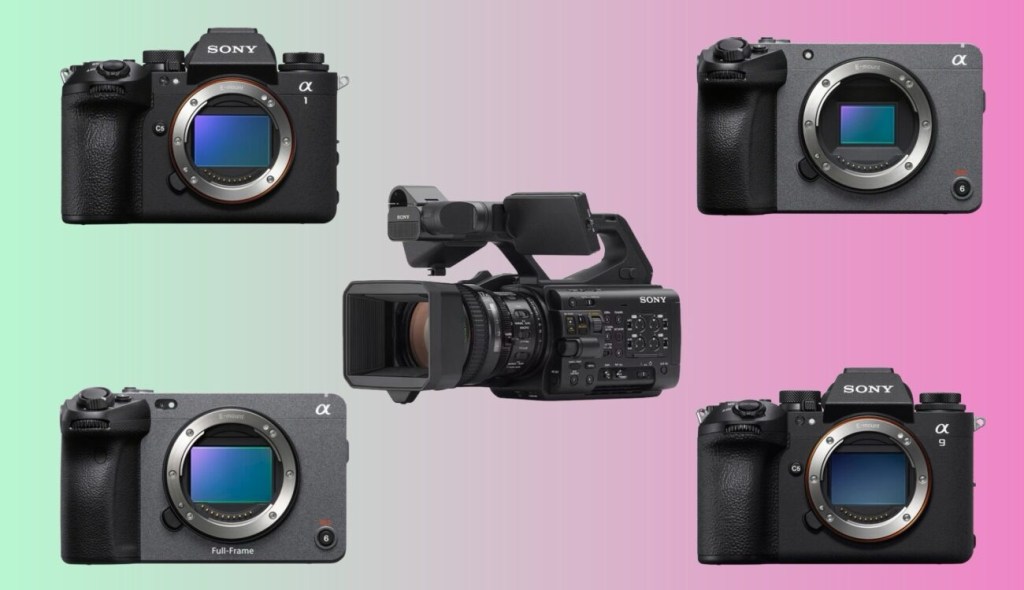
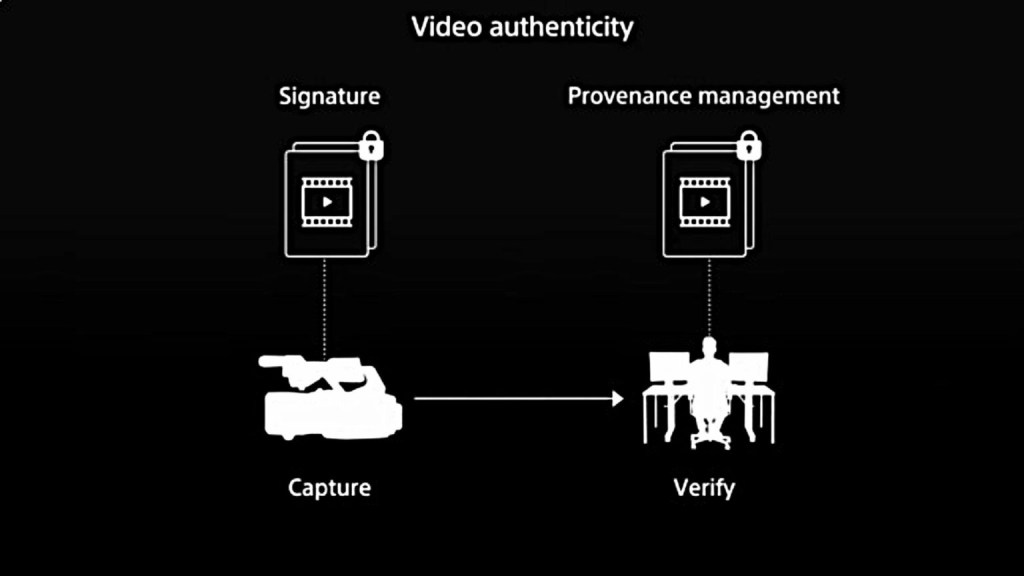
Sony Electronics has expanded its camera authenticity technology to support video content verification, marking a significant industry first in the fight against AI-generated fake content. The C2PA-compliant solution is now available for five Sony cameras, with four additional models scheduled for support by 2026.

Read the full article HERE

We can bet that other industry equipment suppliers as well as NLE providers will also follow suit, however with the likes of Adobe embracing A.I. this may prove difficult.

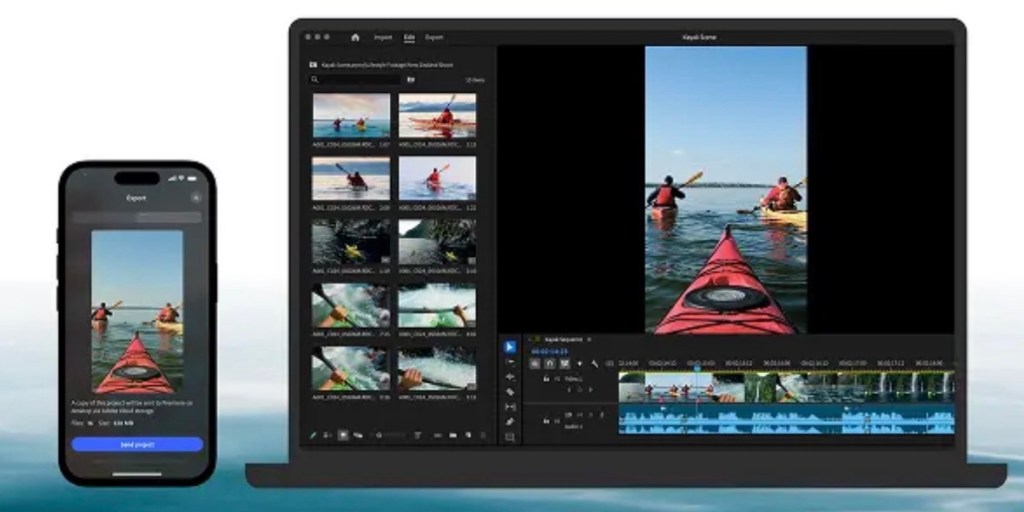
Adobe have released their new mobile version of their flagship NLE, Adobe Premiere for iOS devices. This new iteration replaces the basic Adobe Rush app which didn’t take off as well as Adobe had anticipated all those years ago.

See the download info HERE

According to Wired:

ADOBE HAS HAD a busy year designing and redesigning a number of its most popular apps for mobile, and Premiere for iPhone is the latest—a mobile-first video editing workflow that adapts most of the tools from the desktop version of Premiere to a mobile user interface. You can trim, layer, edit, and even auto-generate captions, alongside all the basic editing features you’d expect, like color and exposure adjustments.

The automatic resizing feature is particularly nice, adapting videos to both horizontal and landscape platforms, making sure your subject is centered for both cuts. As with anything Adobe releases these days, there are plenty of AI-powered features, including the ability to generate backgrounds from a prompt and create sound effects from your voice.

Premiere for iPhone is free, though if you want to use the AI features, you’ll have to buy credits within the app. According to Adobe, the Android version is still under development. —Scott Gilbertson

Colin Michael has released a tutorial for iOS users on the app which can be viewed below:

It remains to be seen if this software will be adopted by mobile editors, as it has some stiff competition with Blackmagic’s Da Vinci Resolve for iOS.

Time will tell whether it fills a gap in the market or become another “Rush” ed project.

New DaVinci Resolve 20 training books now available! HERE

These step by step training guides are for both new and existing users. Using a project based approach, you will discover how to edit a sophisticated trailer for a documentary feature, grade your film using DaVinci Resolve’s legendary color correction tools, enhance your soundtracks with Fairlight and build custom visual effects using Fusion.

With The Beginner’s Guide to DaVinci Resolve 20, you’ll learn how to:

  • Edit your own projects using industry standard editing tools.
  • Normalize audio levels and automatically mix music using the new Ducker track effect.
  • Read video scopes to adjust contrast, color balance and saturation.
  • Create secondary corrections using Color Warper and Color Slice.
  • How to set up projects, sync and manage audio files.

In The Editor’s Guide to DaVinci Resolve 20, you’ll discover how to:

  • Use advanced editing and trimming techniques for different genres.
  • Set up and manage complex projects using smart bins and metadata.
  • Automatically generate transcriptions to jump-start your editing.
  • Use trimming tricks and real time dynamic trimming.
  • Apply multi camera syncing and editing techniques.

The Fairlight Audio Guide to DaVinci Resolve 20 will show you how to:

  • Navigate and customize the Fairlight interface.
  • Work with the Fairlight Sound Library.
  • Create and edit dialogue, music and sound effects tracks.
  • Record voiceover, ADR and Foley tracks.
  • Work with audio track layers to stack, split and build a composite.

In The Colorist Guide to DaVinci Resolve 20, you’ll learn how to:

  • Balance and match footage using primary grading tools.
  • Analyze and color correct images with the help of scopes.
  • Track people and objects with windows and magic masks.
  • Migrate XML timelines and roundtrip workflows.
  • Work with nodes to create sophisticated grades.

The Visual Effects Guide to DaVinci Resolve 20 includes information on how to:

  • Composite using nodes.
  • Combine optimal takes with the split screen technique.
  • Track objects using the point tracker and planar tracker.
  • Compose with multi layer PSD files.
  • Create green screen compositing with the delta keyer and clean plate.

In Advanced Visual Effects Guide to DaVinci Resolve 20, you learn how to:

  • Enhance live action environments with 3D particles.
  • Use multiple keyers for advanced green screen keying.
  • Use Magic Mask to save time rotoscoping.
  • Work seamlessly with 3D assets.
  • Set up 3D scenes with cameras, lights and depth of field.

These books are designed for both beginners and professionals. Beginners will find clear and concise lessons to get you up and running quickly. If you’re a professional switching to DaVinci Resolve, you’ll find lessons that cover everything from the basics to working with audio, adding text, effects, and more. You’ll also find dozens of pro tips and tricks that will help you make the switch to DaVinci Resolve!

Here is the direct link: http://bmd.link/7tipKM

DaVinci Resolve 20 is officially here.
Blackmagic has finalized its latest post-production suite, introducing over 100 new features—many of them AI-powered.

🧠 From AI IntelliScript to Multicam SmartSwitch and major upgrades to Fusion and Fairlight, here’s everything you need to know about the final release of DaVinci Resolve 20:
👉 https://ymcinema.com/2025/05/28/blackmagic-announces-the-final-release-of-davinci-resolve-20/

Download from here: https://www.blackmagicdesign.com/products/davinciresolve

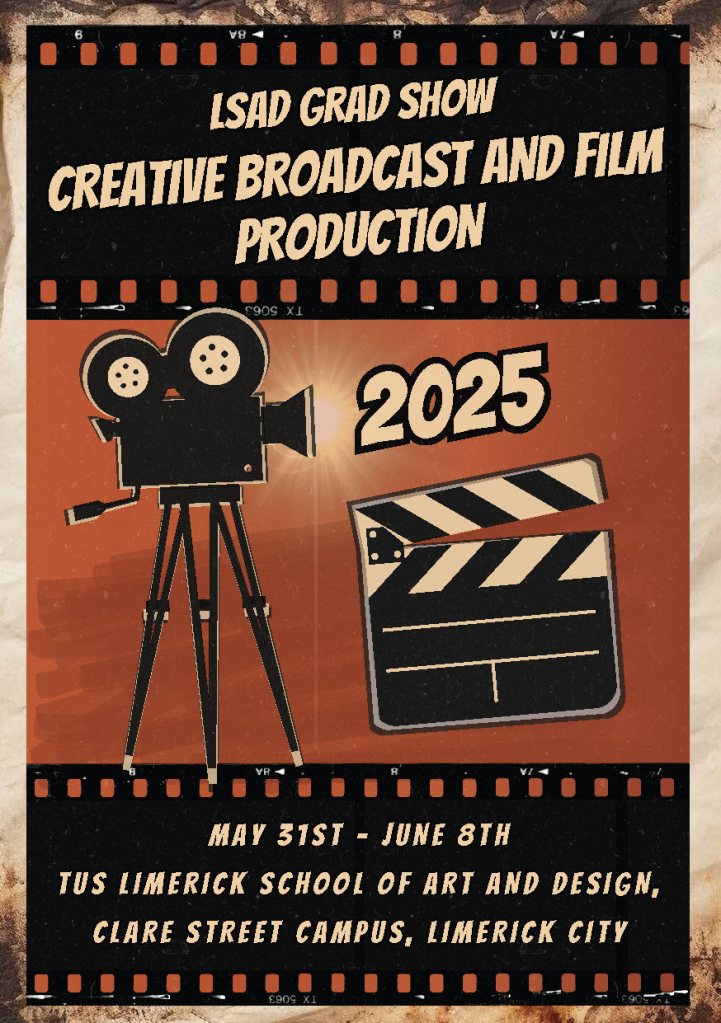
Taking place at the annual LSAD Graduation show at the Clare Street Campus, Limerick, will be the screening of end of year capstone projects from the 4th year Creative Broadcast & Film Production students.

There will be a series of short films, documentaries, portfolios and dissertations available to the public in a selected location in the campus, where the students themselves will also be in attendance to chat about their work and hopefully network too with visitors and even interested industry parties.

Why not come along to this event which is open from May 31st to June 8th 2025.

This highlights reel features a selection of content and programmes that were created by the 2025 crew of Film CEL. This years crew excelled themselves on all productions and projects, gaining experience on planning, camera operation, grip and rigging, lighting and sound and post production using Avid Media Composer.

This crew will continue as students in the year 4 of the Creative Broadcast and Film Production programme at LSAD, TUS where they will take these skills and develop new content and creative works for their final year.

Music track: Tell Me by Burgundy Source: https://freetouse.com/music Copyright Free Music for Video

Film CEL is an in-house production unit for the Creative Broadcast & Film Production Programme at LSAD, TUS.

As a long time user of DaVinci Resolve Studio, I value this NLE highly in both my professional work as well as an academic when instructing my students.

Recently with the release of the new public beta version of DaVinci Resolve 20, and its huge amount of new features, their announcement video claimed about a possible upgrade fee in the future. Resolve is loved by users for both its intuitive use as well as its non-subscription, and thus this announcement created a worry that this non-subscription platform was coming to an end. However Darren Mostyn, who i highly recommend editors and colourists follow his YouTube account (click his name to go to that account), managed to speak to a representative from BMD Europe and get a full definition of what this upgrade fee will actually be. Check out the video below:

Blackmagic Design has just announced the latest update of their Non Linear Editing software, DaVinci Resolve 20. Their focus this time seems to be the editors and creators of Hollywood and pushing their NLE as the best choice for the demands of the content creation.

“DaVinci Resolve is the world’s only solution that combines editing, color correction, visual effects, motion graphics and audio post production all in one software tool! Its elegant, modern interface is fast to learn and easy for new users, yet powerful for professionals. DaVinci Resolve lets you work faster and at a higher quality because you don’t have to learn multiple apps or switch software for different tasks. That means you can work with camera original quality images throughout the entire process. It’s like having your own post production studio in a single app! Best of all, by learning DaVinci Resolve, you’re learning how to use the exact same tools used by Hollywood professionals!”

The upgrade software is available for both the free and studio (paid) versions from their website HERE

There is a recommendation that if you are willing to upgrade now, that you make sure you backup your databases, outputting and keyboard settings as well as any additional LUTs you may have installed.

My advise too would be not to upgrade if you have projects still in post… finish and deliver and wait for a break in your editing schedule before updating any NLE software. This will reduce any possible issues and incompatibilities for your workflows on a project.

Digital Arts and Media Showcase

Book your place here

The Department of Digital Arts and Media at TUS is delighted to invite you to our Showcase Event presenting the work of students from the Music Production and Technology & Creative Broadcast and Film Production degrees at TUS Moylish Campus, Limerick.

Event Schedule:

Music Production and Technology Showcase:

  • 9:30 AM Film Screenings: Enjoy popular film clips with reimagined sound effects, dialog, and music from our 2nd year Music Production & Technology students.
  • 10:30 AM Premiere of 1st Year Student Group Song Compositions: Witness the creativity and talent of our 1st year students.
  • 11:40 AM Live Performances: Experience a variety of musical numbers arranged and performed by students from 1st year.
  • 1:15 PM Millennium Sessions Production Premiere: Watch highlights from our in-house student-led events and production teams from Music Production & Technology 3rd years and Creative Broadcast & Film Production’s inhouse student production group, FilmCel.
  • 2:00 PM Live Performances: Featuring arrangements and compositions created and performed by our final year students.

Creative Broadcast and Film Production Showcase:

  • 9:30 AM – 3:00 PM Creative Broadcast & Film Production Showcase Screening: Watch student productions including broadcast, documentary, animation, and award-winning final year student films in the theatre foyer. Headphones provided for an immersive experience.
  • 10:00 AM – 1:00 PM ‘Try it Yourself’ Drop-in Tasters: Host your first podcast, capture your first professional photos, and shoot your first movie frames in the theatre foyer.
  • 1:15 PM – 2:00 PM Millennium Sessions Production Premiere: Watch highlights from our in-house student-led events and production teams from Creative Broadcast and Film Production Year 3 FilmCel and Music Production 3rd years students in the theatre.

We believe this showcase will be a fantastic opportunity for anyone interested in both Music Production and Technology and Creative Broadcast and Film Production courses at TUS to experience firsthand the variety of projects, skills, and formats students create as part of these courses.

Lecturers and students will be available throughout the day to provide information on the courses and answer any questions you may have about studying with us.

If you wish to attend, please complete the booking form above or below.

We look forward to welcoming you to what we hope will be an inspiring and entertaining event.

Follow us on Instagram for more updates and sneak peeks: @tus_digitalartsandmedia

Book your place here

Film CEL releases new episode of ‘Word on The Street’ produced by CBFP Year 3 Work Practice students

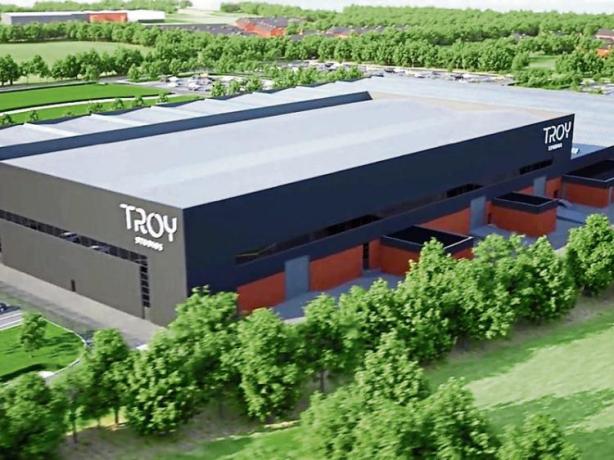
Congradulations to Year 3 Film CEL crew of LSAD, on the release of the final episode of ‘Word on the Street’ Series 8 Episode 5. This episode features stories on the N.I.C.E. Italian Film Festival, The Access All Areas event at Troy Studios and the upcoming Millennium Sessions Programme in April. 

Produced by the crew of Film CEL, LSAD’s in-house production unit.

Watch it below

Follow and subscribe for news on Film CEL productions on LSAD YouTube channel and on Instagram 

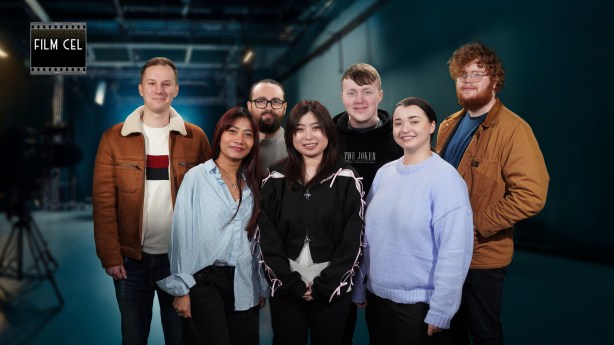
Film CEL crew 

Film CEL Crew (L to R): Liam de Klein, Melissa Rudge David Vetharudge, Alan Wynne, Kaila Huynh, Diarmuid Burke, Yeva Kravchenko and Ger Hickey

Additional dates for your diaries:

Millennium Sessions 2025 Programme debuts on April 9th, 1:15pm on YouTube and at the Millennium Theatre.

LSAD Grad Show – CBFP 4 Exhibition of graduate work opens May 31st- June 7th 2025 at LSAD, Clare Street Limerick